
Your first login
Welcome to Knime! This tutorial walks you through your first few minutes in the product. In this tutorial, you sign in, take a short tour of your home, explore your team, and create a space to keep your work in. When you finish, you're ready to build your first workflow in your first workflow.
Before you begin
To follow this tutorial, you need:
- A Knime account. Your organization may have already created one for you. If you don't have an account yet, ask your administrator to create one.
This tutorial takes only a few minutes.
Step 1: Sign in
Open the Knime URL that your organization or administrator shared with you. The URL takes you to the login screen.
If you already have a username and password, enter them to sign in. If your organization uses single sign-on (SSO), select the SSO option to sign in with your organization's account. If you don't have an account yet, click Register and create your own login credentials.
Depending on how your organization set up Knime, you may need to ask your administrator for access first after account creation.
Step 2: Get oriented in your home
After you sign in, your home opens. This is where you start every time you work in Knime, whether you're exploring data, building a workflow, or sharing results with your team.
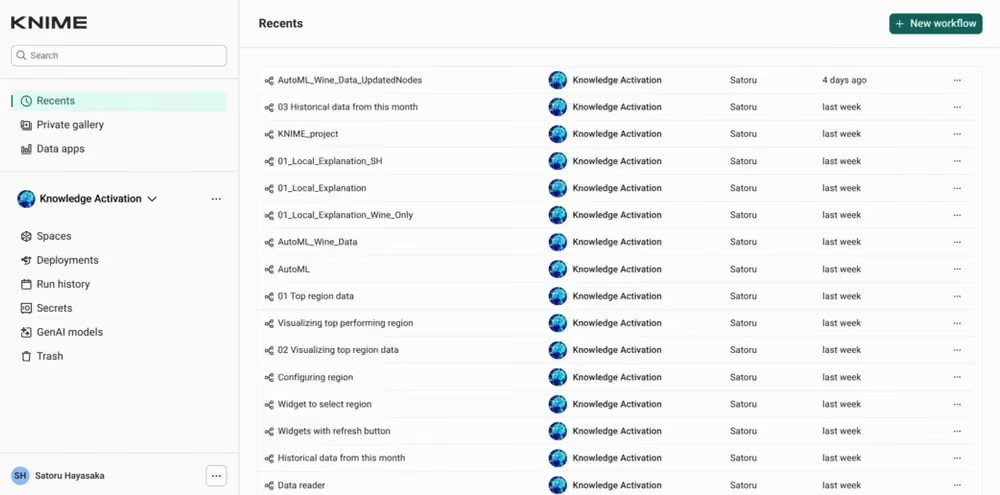
You can see your recent workflows, with the most recent first. This list is empty the first time you sign in, and it fills up as you start working. Use the menu on the left to move between your spaces and other resources.
Step 3: Explore your team
Your team is the group of people you work with in Knime. Each team has its own spaces, where team members keep their workflows, data, and components. Team members may create spaces for their own projects, so you may see several spaces already. Each space appears as a card.
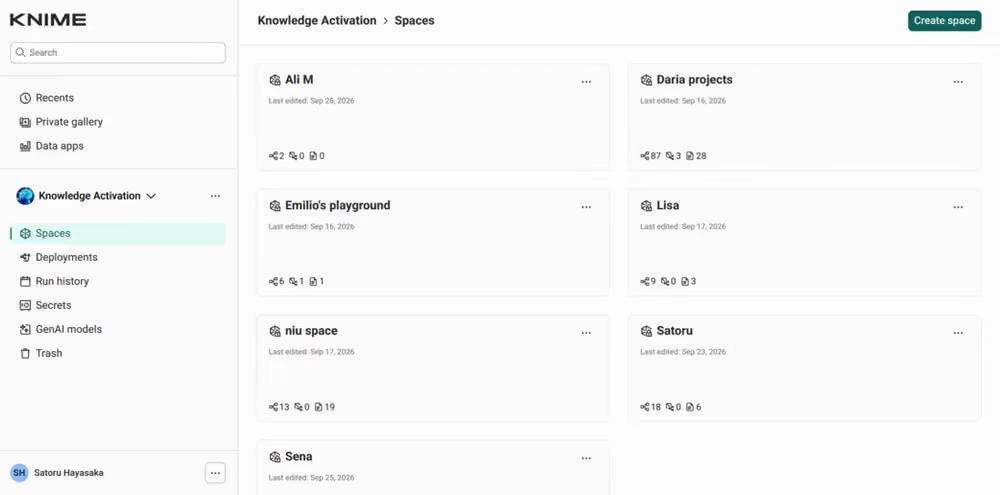
To learn more about teams, see Teams.
Step 4: Create a space
Create a space to keep your work in. Click Create space to open the dialog. Enter a name for the space and a short description of what it's for, then click Create.
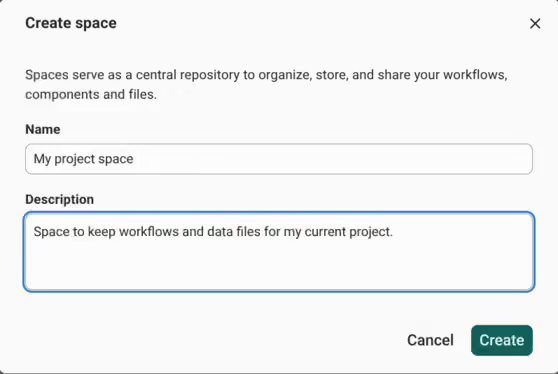
Your new space now appears as a card among your team's spaces. To learn more, see Create and manage spaces.
Summary
In this tutorial, you:
- Signed in to Knime
- Found your recent workflows and the menu on the left in your home
- Saw the spaces your team works in
- Created your own space to keep your work in
You're now ready to start building your first workflow.
Next step
- Your first workflow: build and run a workflow in your new space