
Deploy a data app
Knime provides several data apps that help admins monitor, diagnose, and maintain your Knime instance. They all share the same setup process. Individual task pages link back here instead of repeating it.
Download the workflow using the link provided on the task page.
Navigate to the target space on your Knime instance.
Upload the workflow (learn more).
Run the workflow to start an ad hoc execution (learn more).
- Optionally, deploy the workflow as a data app to persist its configuration and share it with other users (learn how).
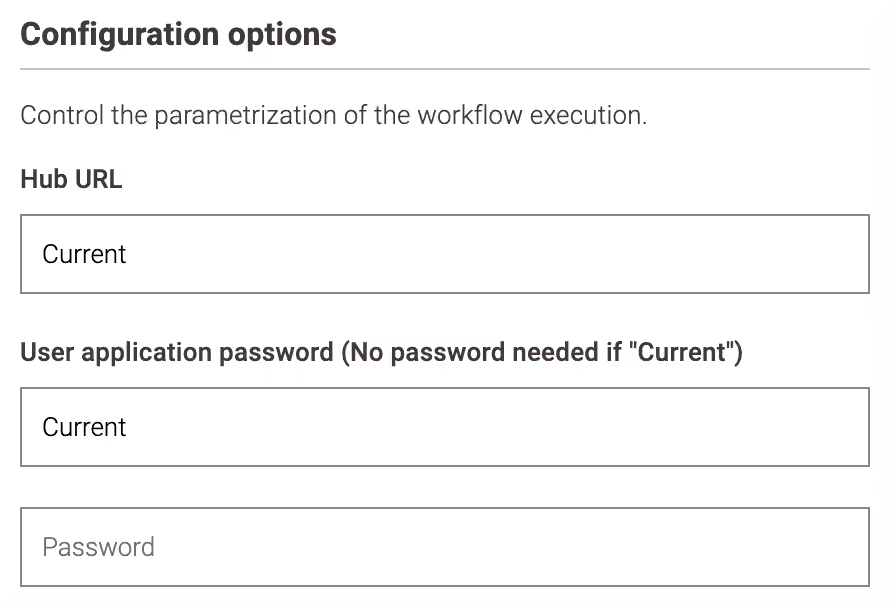
Optionally, configure impersonation or a connection to a different Knime instance in the execution dialog:
- User application password: keep Current to run with the logged-in user, or provide an application password of a different user to reuse their permissions.
- Hub URL: keep Current to reference the Knime instance where the execution runs, or enter the URL of another Knime instance.
Run the workflow or launch the deployed data app.
Some data apps require additional setup before the first run, such as a Keycloak service client or enabling a specific Knime feature. Those steps are documented on the individual task page.