
Use the Conda Environment Propagation Node
The Conda Environment Propagation node lets you propagate a specific Python environment with a workflow so that it is automatically recreated on any machine that executes the workflow.
TIP
For new projects consider the Python Environment Provider node instead — it is faster and does not require a global Conda installation on the target machine.
Prerequisites
- Conda is installed and configured in KNIME → Conda preferences (see Set up Conda / Miniforge).
Setting up
Drag the Conda Environment Propagation node onto the canvas.
Open the configuration dialog and select the Conda environment to propagate.
Choose which packages to include:
- Include all — every package in the environment.
- Exclude all — start with nothing, then manually check packages.
- Include only explicitly installed — only user-installed packages; lets Conda resolve OS-specific dependencies on the target.
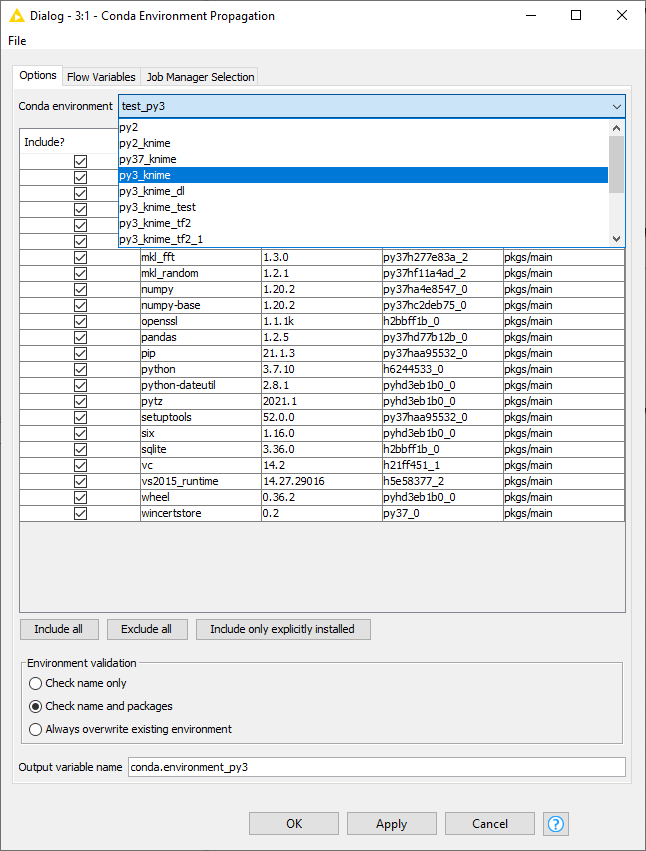

The node outputs a flow variable (default name
conda.environment) containing the environment specification.
Connecting to Python nodes
Connect the flow variable output port of the Conda Environment Propagation node to the input flow variable port of a Python node.
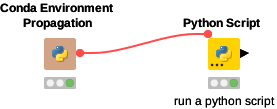
Since flow variables propagate through all downstream connections, the variable is available to all subsequent nodes.
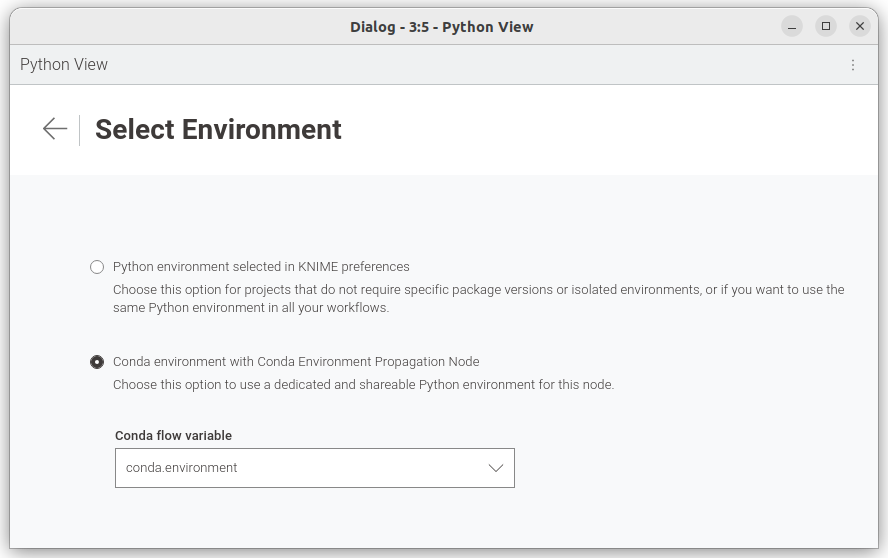
In each downstream Python node, open the configuration dialog, go to the environment settings (kebab menu → Set Python environment), and select the Conda flow variable.
Exporting and deploying
When deploying the workflow (upload to KNIME Hub, KNIME Server, or file export):
- Reset the Conda Environment Propagation node before deployment.
- Ensure the target machine also has Conda configured in its KNIME Preferences. If the target machine runs a KNIME Server, you may need to contact your server administrator or refer to the Server Administration Guide.
Environment validation modes
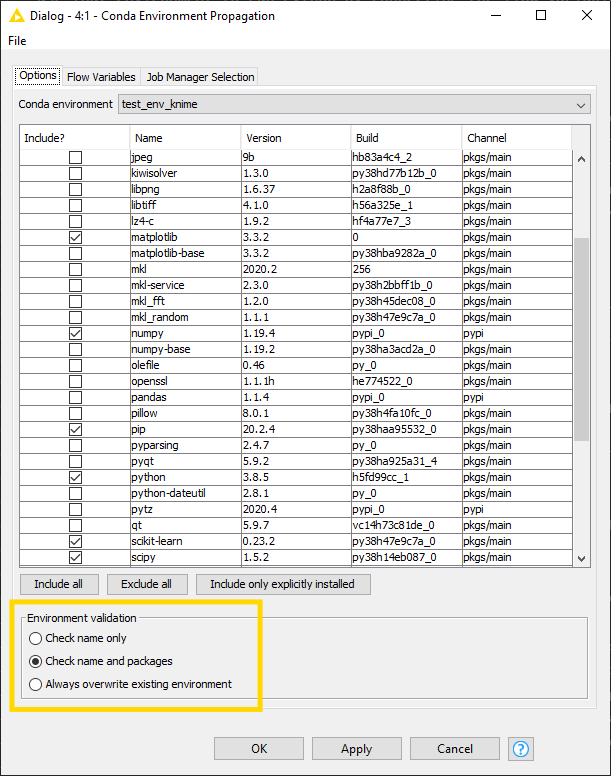
During execution the node checks whether a matching environment already exists. Depending on the mode, the execution time will vary:
| Mode | Behaviour | Speed |
|---|---|---|
| Check name only | Checks if an environment with the same name exists. | Fastest |
| Check name and packages | Checks name and verifies all requested packages are present. | Slower |
| Always overwrite existing environment | Recreates the environment regardless. | Slowest |
WARNING
Exporting environments between different operating systems may cause library conflicts. Test on all target platforms and consider using Include only explicitly installed.