Set up Conda / Miniforge (Legacy AP-wide Environment)
This guide describes how to install Conda and configure an AP-wide Python environment using the KNIME Preferences page. This is the legacy approach — for new workflows consider using Pixi via the Python Environment Provider node instead.
Conda disambiguation and licensing
- conda is the open-source environment management tool developed by Anaconda.
- conda-forge is an open-source, free-to-use channel of Python and R packages.
- Anaconda is a company that also provides the defaults channel. This channel is subject to Anaconda's Terms of Conditions.
- mamba / micromamba are open-source re-implementations of conda. Conda recently switched to the mamba solver because it is much faster.
- Miniconda is a free installer for conda provided by Anaconda. It is configured to use the defaults channel by default.
- Miniforge is a free installer for conda configured to only use conda-forge. Unless you explicitly add other channels it will never use packages subject to Anaconda's TOC.
Prerequisites
Install the Python extension. Drag and drop the extension from the KNIME Hub into the workbench to install it, or go to File → Install KNIME Extensions and install KNIME Python Integration from the KNIME & Extensions category.
Install Conda. We recommend Miniforge. Default installation paths:
OS Default path Windows C:\Users\<your-username>\miniforge3\macOS /Users/<your-username>/miniforge3Linux /home/<your-username>/miniforge3Configure KNIME. In File → Preferences → KNIME → Conda, set the Path to the Conda installation directory.
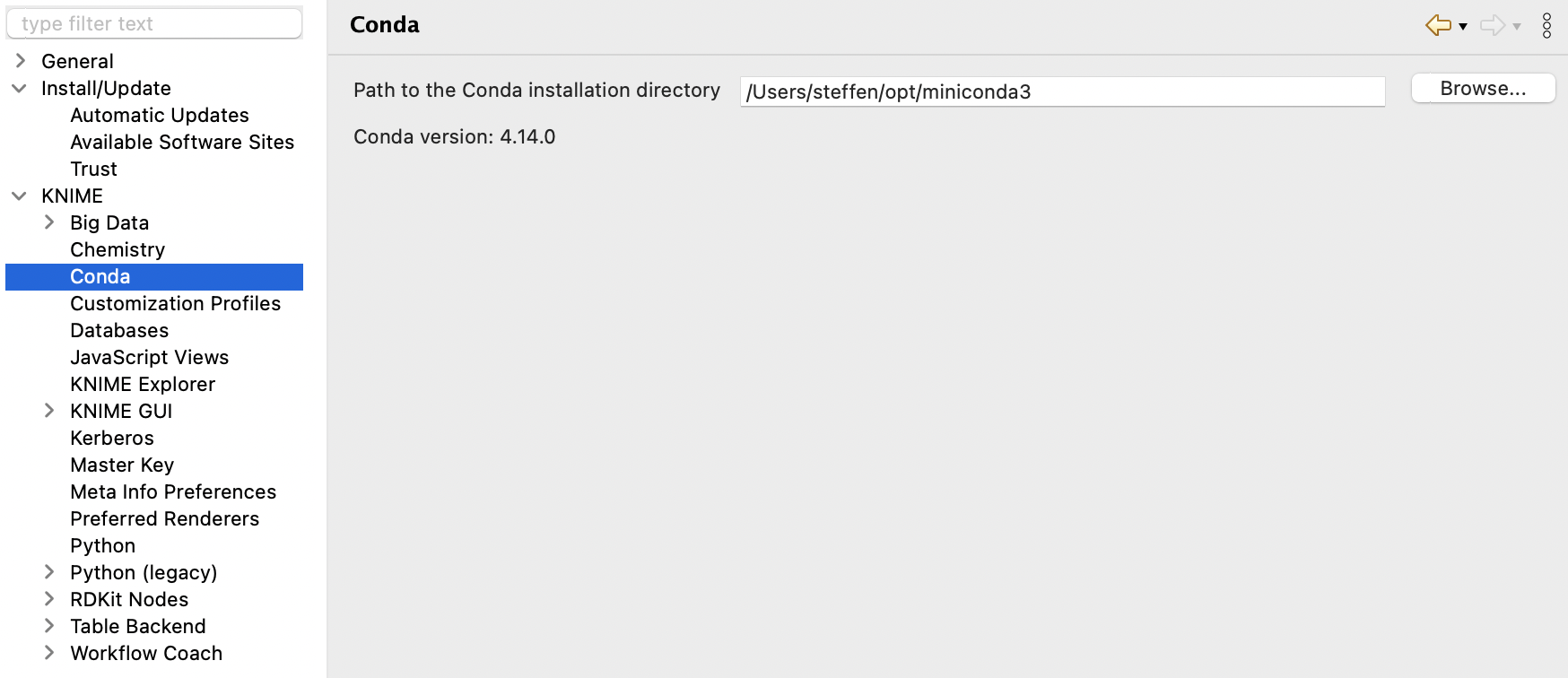
Once a valid path is entered, the installed Conda version is displayed.
Create an environment with metapackages
Two KNIME metapackages are available:
knime-python-base— the minimal set of packages always needed.knime-python-scripting— includesknime-python-baseplus all packages used in the bundled environment.
Package lists and version matrix: knime conda channel.
Create a new environment
bash
conda create --name my_python_env \
  -c knime -c conda-forge \
  knime-python-scripting=5.7 python=3.11 \
  other_package other_package_with_version=1.2.3
Install additional packages
bash
conda install --name my_python_env -c conda-forge <package>Name Clash Warning
Do not install the package knime using pip into the environment that will be used inside KNIME. This causes a name clash and makes importing the KNIME Scripting API (knime.scripting.io) fail. If you accidentally installed it, you must run pip uninstall knime in your Python environment.
Select the environment in KNIME
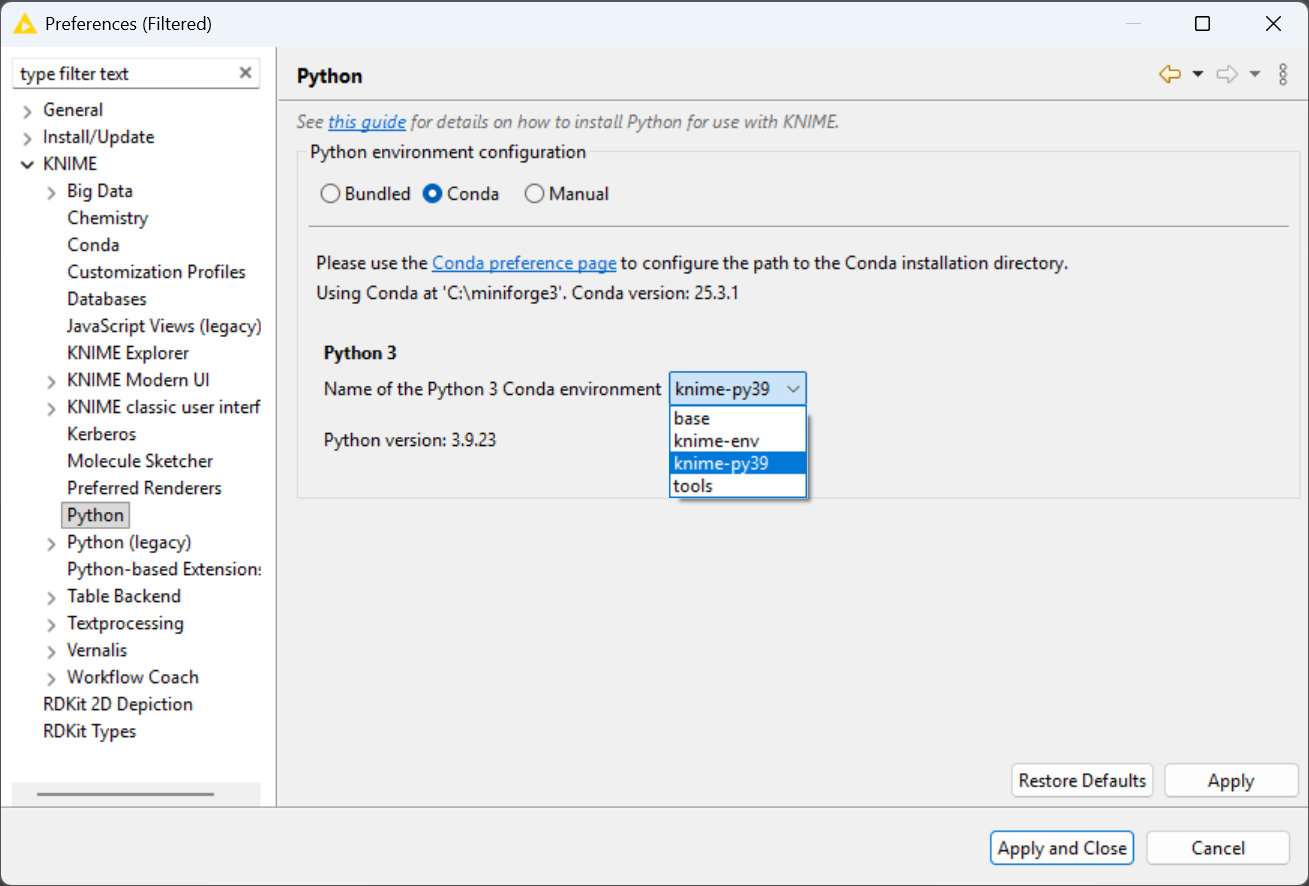
- Go to File → Preferences → KNIME → Python.
- Choose Conda as the Python environment configuration.
- Select your environment from the dropdown.