
Set up Pixi for Python Environment Management
Pixi is the recommended way to manage Python environments in KNIME. It uses the Python Environment Provider node to define, create, and propagate reproducible environments directly within your workflow.
Prerequisites
- KNIME Analytics Platform 5.12 or later installed.
- KNIME Python Integration extension installed.
- KNIME Conda Integration extension installed.
TIP
To install the required extensions, you can drag and drop the Python Environment Provider node from KNIME Community Hub into your workflow. KNIME will prompt you to install any missing dependencies automatically.
1 – Add the Python Environment Provider node
- Open or create a workflow.
- From the node repository search for Python Environment Provider and drag it onto the canvas.
2 – Configure the environment and add packages
This is where you specify which libraries your Python scripts will use.
Double-click the node to open the configuration dialog.
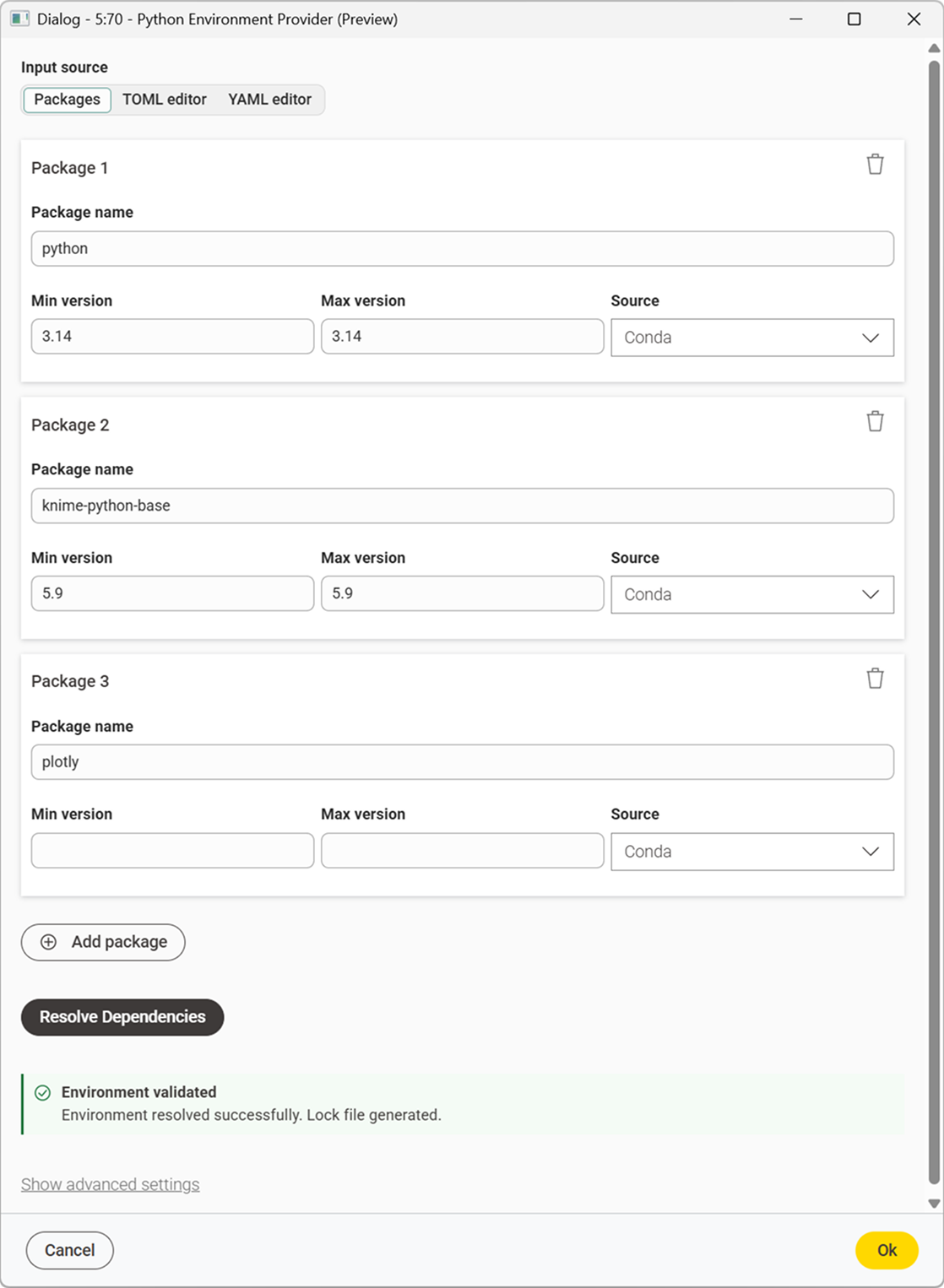
Define the packages you need. The node provides three input modes:
Packages — Click "Add Package" to add packages individually.
TOML editor — specify channels and dependencies in TOML format:
toml[workspace] channels = ["knime", "conda-forge"] platforms = ["win-64", "linux-64", "osx-64", "osx-arm64"] [dependencies] python = "3.14.*" knime-python-base = "5.9.*"YAML editor — use a Conda-style YAML specification:
yamlname: myenv channels: - knime - conda-forge dependencies: - python=3.14.* - knime-python-base=5.9.*
Click the Resolve Dependencies button in the node dialog. This checks for compatibility and prepares the environment specification.
If everything is correct you will see an environment-validated message.
3 – Connect to downstream Python nodes
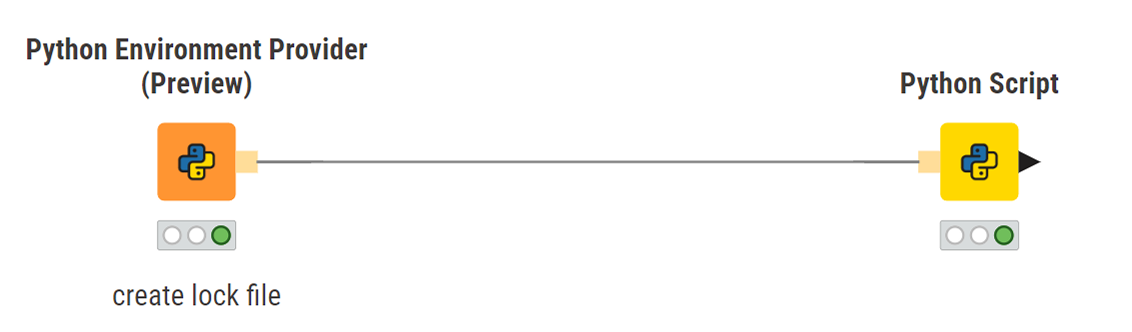
- Connect the Python environment output port (orange square) of the Python Environment Provider node to a Python Script or Python View node.
- The environment defined in the Python Environment Provider node will be used automatically by all connected downstream Python nodes.
4 – Execute
The environment is created when the node executes. During execution the node will:
- Resolve the environment specification into a concrete set of packages.
- Download and install the packages using Pixi.
- Propagate the environment reference to all connected downstream nodes.
By default the environment is temporary. To make the environment permanent or set it as the workspace-wide default, see Persist an environment in Preferences.