
DB ports and sessions
The KNIME Database Extension uses two dedicated port types to pass database states between nodes. Understanding the difference between them — and how the session lifecycle works — helps you build reliable database workflows.
Key concepts
- DB Connection port (red): Carries the current DB Session, including data types, connection properties, JDBC properties, and driver information. It does not carry data rows.
- DB Data port (dark red): Carries an SQL query and allows you to preview the result. The query is built incrementally as nodes are chained together. The data is not materialized in KNIME until a DB Reader node executes it.
How it works
Port types
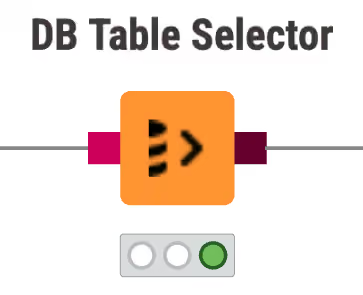
Each connector node creates a DB Session and exposes it on a DB Connection port. Downstream manipulation nodes receive this session information, build on the SQL query, and pass a DB Data port to the next node. Only the DB Reader node executes the final query and loads the data into KNIME as a KNIME data table.
Outport views
After executing a DB node, inspect the result in the outport view. Right-click the node, select Open output port, then select the outport at the bottom of the submenu.
DB Connection outport view
The DB Session tab shows information about the current database session, such as database type and connection URL.
DB Data outport view
DB manipulation nodes — for example, DB GroupBy — build the SQL query required for the operation and forward it to the next node. They do not execute the query immediately. To preview a subset of the intermediate result, select the node and click Fetch 100 table rows in the node monitor.
By default, only the first 100 rows are cached. Open the dropdown next to Fetch to select a different row count. Depending on the complexity of the SQL query, caching even 100 rows may take time.
To extract the generated SQL query, use the DB Query Extractor node.
To inspect the column list and data types without executing the query, use the DB Data Spec Extractor node.
Session lifecycle
The connector node controls the DB Session lifecycle. Executing the connector node opens the session. Resetting the node or closing the workflow closes the session and drops the connection.
To close a DB Session during workflow execution, use the DB Connection Closer node. Connect the DB Connection Closer at the point in the workflow where the connection is no longer needed. Use its input flow variable port to control when it executes.