
Query generation
KNIME Analytics Platform builds SQL queries incrementally as you chain DB nodes together. No coding is required — each node contributes a fragment of SQL, and the final query runs only when a node that materializes data executes.
How it works
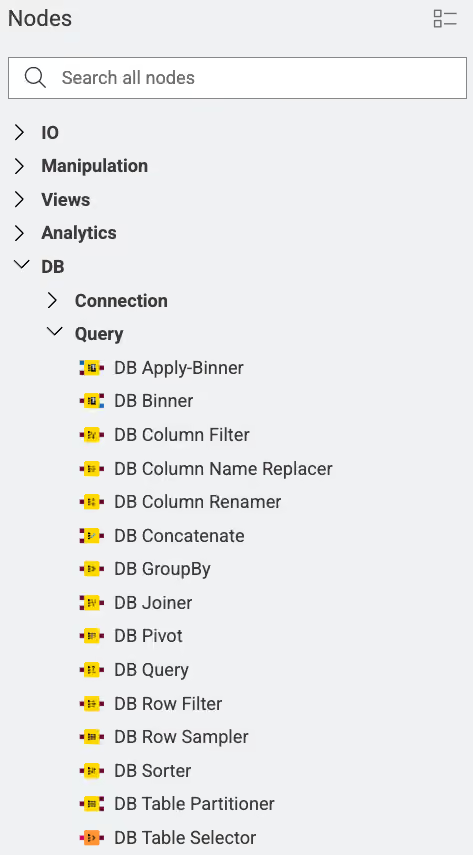
Each DB manipulation node — such as DB Row Filter, DB GroupBy, or DB Joiner — takes an incoming DB Data connection, wraps it in a subquery, and applies its operation on top. The result is a new DB Data connection containing the extended SQL query.
The query does not execute in the database until one of the following nodes runs:
- DB Reader: executes the query and returns a KNIME data table.
- DB Writer / DB Row Inserter / DB Updater / DB Merger / DB Loader: executes a write operation.
This lazy evaluation means intermediate nodes execute quickly and use little memory, since they only build query text, not data.
Extracting the generated SQL
To inspect the SQL that a DB Data connection carries, connect a DB Query Extractor node. It outputs the full SQL string as a flow variable.
Subquery wrapping
Each manipulation node wraps the upstream query as a derived table (subquery). Some databases do not support subqueries. If you encounter this limitation, use the DB Query Reader node to execute the query directly and avoid further chaining.
Use cases
Visual in-database transformation
Chain DB Row Filter, DB GroupBy, and DB Joiner nodes to filter, aggregate, and join data inside the database before loading the result into KNIME. This keeps large datasets in the database and reduces data transfer.
Custom SQL injection
Use the DB Query node to modify the incoming SQL with your own statement. The upstream query is available as the placeholder #table#.
Key concepts
- DB Data connection: Carries the accumulated SQL query and a preview of the result. It does not carry materialized rows.
#table#placeholder: Represents the incoming SQL query inside the DB Query node. It is replaced with the actual subquery at execution time.- Subquery flattening: An optional advanced setting that collapses nested subqueries into a single query. Disabled by default. Enable it only if your database has performance problems with subqueries or does not support them.